

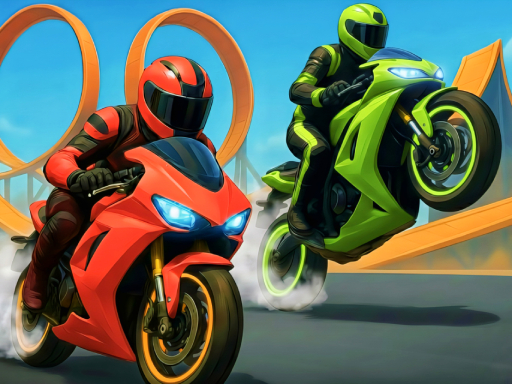
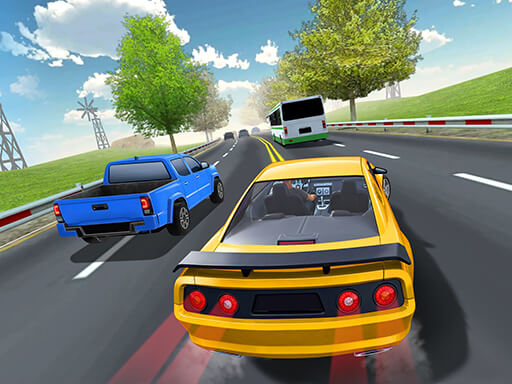


3D Moto Simulator is a free-to-play browser-based motorcycle game that puts you in the seat of a powerful bike on open roads and traffic-filled highways. Unlike simple top-down racing games, this one gives you a realistic third-person perspective that makes every turn and overtake feel exciting. The game focuses on speed, control, and survival as you weave through moving vehicles without crashing.
It is part of the Racing and Driving category, and it stands out because of its smooth 3D graphics and physics that actually respond to how you ride. Whether you enjoy casual gaming or want a real challenge, this game has something for everyone who loves motorcycles.
What Is 3D Moto Simulator?
The main goal in 3D Moto Simulator is straightforward — ride as far as possible without crashing. You travel down a long highway filled with cars and trucks moving at different speeds. Your score goes up the longer you survive and the faster you ride.
Some versions of the game also reward you for close calls with other vehicles, meaning the riskier your riding, the higher your points. This adds a fun layer of strategy: do you play it safe and go slow, or push your luck for a bigger score?
Controls Explained
The controls in 3D Moto Simulator are simple to learn but take time to master. Here is a quick breakdown:
- Arrow Up or W — Accelerate and move forward
- Arrow Down or S — Brake or slow down
- Arrow Left or A — Steer left
- Arrow Right or D — Steer right
The steering is sensitive, especially at high speeds. Small taps on the keys work much better than holding them down for too long. Once you understand how the bike responds to input, navigating through traffic becomes much more natural.
Best Tips for Beginners
If you are just starting out, here are some practical tips to help you last longer and score higher:
- Start slow — Build up speed gradually instead of going full throttle right away. Getting comfortable with the controls first saves you from early crashes.
- Stay in one lane — Jumping between lanes too often increases your risk. Pick a side and only switch when you really need to.
- Watch ahead, not just nearby — Keep your eyes on vehicles further down the road so you have more time to react.
- Brake early — The bike does not stop instantly. Start braking before you think you need to, especially when traffic bunches up.
- Use the sides of the road — The edges of the highway are often clear, giving you a safe path when the middle gets crowded.
Why This Game Is Challenging
At first glance, 3D Moto Simulator looks simple. But the difficulty increases quickly as you go faster. Traffic density grows the longer you ride, and vehicles change lanes without warning. Your reaction time needs to be sharp, and even one small mistake can end your run instantly.
The physics also add to the challenge. The motorcycle leans slightly when turning, and at high speeds, overcorrecting can cause you to spin out. This realistic feel is part of what makes the game so satisfying when you finally nail a long, clean run.
Common Mistakes to Avoid
Many players make the same errors when they first play. Knowing these in advance can save you a lot of frustration:
- Holding the accelerator too long — Going too fast too soon leaves no room to dodge traffic.
- Ignoring trucks — Large vehicles take up more space and move unpredictably. Give them extra room.
- Panicking and over-steering — When a car appears suddenly, calm small movements work better than sharp jerks on the controls.
- Not using the brakes — Some players forget the brake exists. It is one of the most useful tools in tight situations.
Frequently Asked Questions
Is 3D Moto Simulator free to play?
Yes. The game is completely free and can be played directly in your browser without downloading anything.
Can I play it on a mobile device?
The game is primarily designed for desktop browsers with keyboard controls. Mobile support may vary depending on the platform you use to access it.
Does the game have different bikes or levels?
Some versions of 3D Moto Simulator include multiple bike options with different speed and handling stats. The road environment may also change as you progress further into a run.
How is the score calculated?
Your score is based on distance traveled and speed maintained. Riding close to other vehicles without hitting them can also boost your points in certain versions of the game.
Why Players Love 3D Moto Simulator
This game has built a loyal following for good reasons. It is easy to pick up but hard to put down. The thrill of narrowly missing a truck at high speed gives a real rush, and the simple controls mean anyone can jump in without reading a long tutorial.
Players also enjoy the replayability. Every run feels different because traffic patterns change. Chasing a personal best score keeps things fresh, and the short session length makes it perfect for a quick break. Whether you have five minutes or an hour, 3D Moto Simulator delivers a satisfying ride every time.