

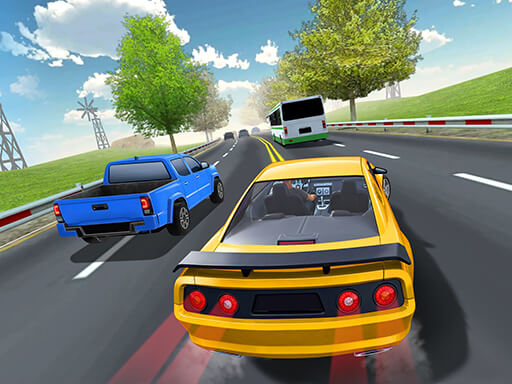




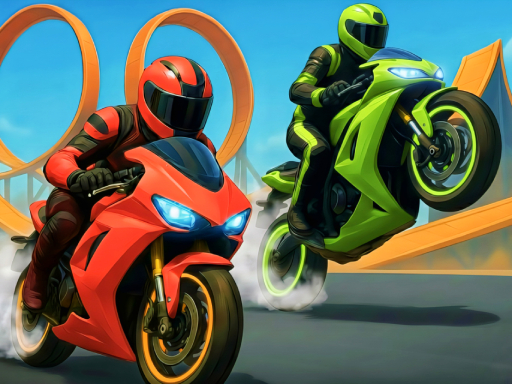


Motocross Driving Simulator is an adrenaline-fueled browser-based dirt bike racing game that puts you in the saddle of a powerful motocross machine across challenging off-road tracks. Whether you're a fan of extreme moto racing or simply love testing your reflexes, this game delivers an exciting two-wheeled experience right in your browser — no downloads required.
About Motocross Driving Simulator
Motocross Driving Simulator is a free-to-play online racing and driving game designed for players who crave the thrill of off-road motorcycle action. Set across a variety of rugged terrain environments, the game challenges you to navigate steep hills, sharp turns, and unpredictable obstacles while keeping your rider balanced and your speed up. Unlike traditional flat-track racing games, this motocross simulator emphasizes physics-based riding mechanics, meaning every jump, landing, and corner requires genuine skill and timing. The game is accessible directly through a web browser, making it ideal for quick sessions during a break or extended play for those who want to master every track. Its intuitive design welcomes newcomers while offering enough depth to keep experienced players engaged.
How to Play Motocross Driving Simulator
- Accelerate and brake: Use the Up Arrow or W key to accelerate your motocross bike forward, and the Down Arrow or S key to brake or reverse when needed.
- Balance your rider: Press the Left Arrow or A key to lean your bike backward and the Right Arrow or D key to lean forward, which is essential for landing jumps cleanly and maintaining momentum on slopes.
- Navigate the track: Follow the course markers carefully, watching for sudden elevation changes, ramps, and tight corners that require you to adjust your speed in advance.
- Manage your speed on jumps: Approach ramps at a controlled speed — going too fast can send you flipping, while going too slow may cause you to fall short of the landing zone.
- Complete objectives: Finish each stage within the time limit or reach the checkpoint to unlock the next level and progress through the game's track lineup.
- Restart when necessary: If your rider crashes or becomes stuck, use the restart option to reset your position and try the section again without losing overall progress.
Features
- Realistic physics engine: Motocross Driving Simulator uses physics-based mechanics that simulate authentic bike weight, momentum, and balance, giving every ride a genuinely immersive feel.
- Multiple tracks and environments: Ride across a range of off-road courses featuring varied terrain including muddy hills, rocky paths, and stunt-filled arenas.
- Browser-based accessibility: Play instantly in any modern web browser without needing to install software or create an account — just load and ride.
- Progressive difficulty: The game gradually introduces more complex and demanding tracks, ensuring a satisfying learning curve for both new and returning players.
- Stunt and skill elements: Beyond simple racing, the game incorporates stunt-friendly ramps and obstacles that reward skilled riders with smoother runs and better times.
Tips & Tricks
- Always pre-lean before a jump: Lean slightly backward just before hitting a ramp so your front wheel lifts naturally — this helps you stick the landing on the other side without flipping forward.
- Control your throttle on hills: Avoid full acceleration on steep downhill sections; gentle throttle control keeps your bike stable and prevents unwanted nose-dives.
- Use momentum wisely: Build speed on flat sections before climbing hills rather than trying to accelerate mid-slope, which can cause your rear wheel to spin out.
- Practice problem sections repeatedly: If one part of a track keeps causing crashes, isolate that section and restart specifically to practice it — consistency in technique pays off quickly in Motocross Driving Simulator.
Frequently Asked Questions
Is Motocross Driving Simulator free to play?
Yes, Motocross Driving Simulator is completely free to play directly in your web browser. There are no hidden fees, subscriptions, or mandatory downloads required to enjoy the full game experience.
What devices can I use to play Motocross Driving Simulator?
The game is designed primarily for desktop and laptop computers using a keyboard for controls. Most modern browsers on Windows and macOS support it without any issues, making it widely accessible for the majority of players.
How many levels does Motocross Driving Simulator have?
Motocross Driving Simulator features multiple progressively challenging tracks and stages. The exact number can vary depending on the platform hosting the game, but players can generally expect a solid lineup of levels that range from beginner-friendly courses to highly demanding off-road circuits.